

Brand profile
Your domain’s baseline configuration: the brand context AXP Edge and AI Streams use to represent your site consistently to AI agents.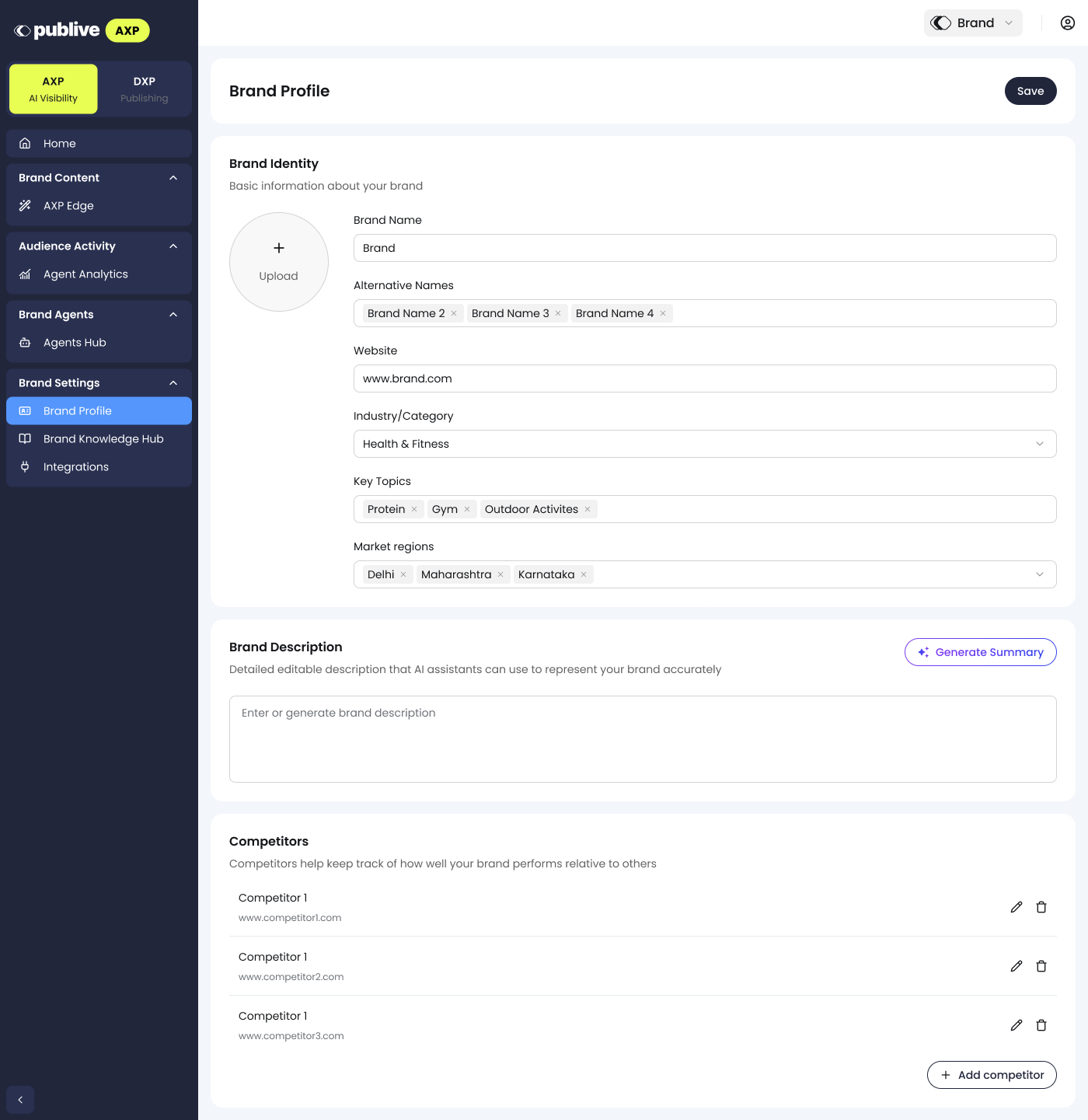
Content & global rules
Shows which URLs on your domain are currently being optimized by AXP Edge, and lets you configure bypass rules for specific pages or sections you want AI agents to receive unoptimized. The Content tab shows site-wide coverage, tokens saved, and a per-URL breakdown of optimization status: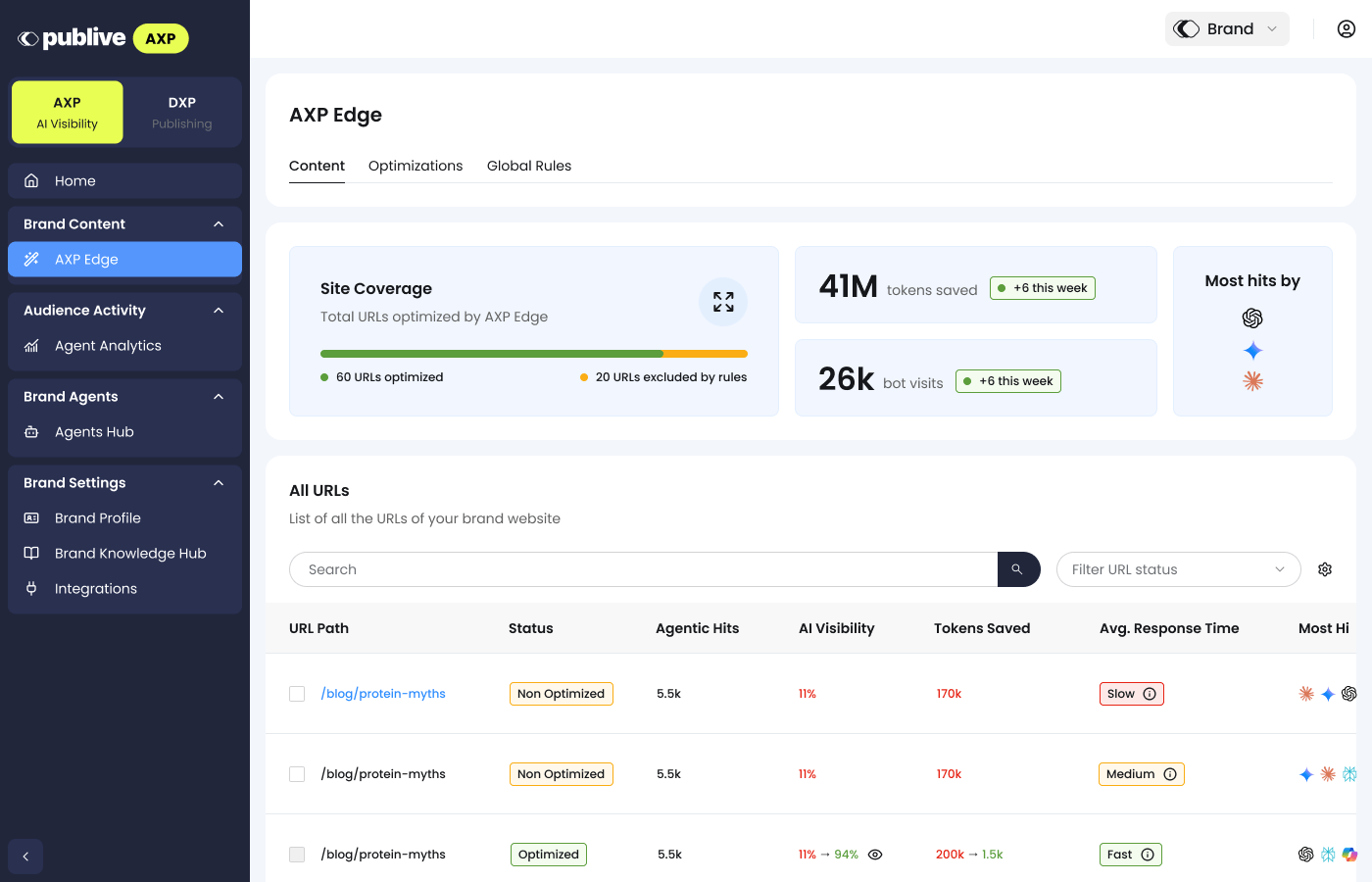
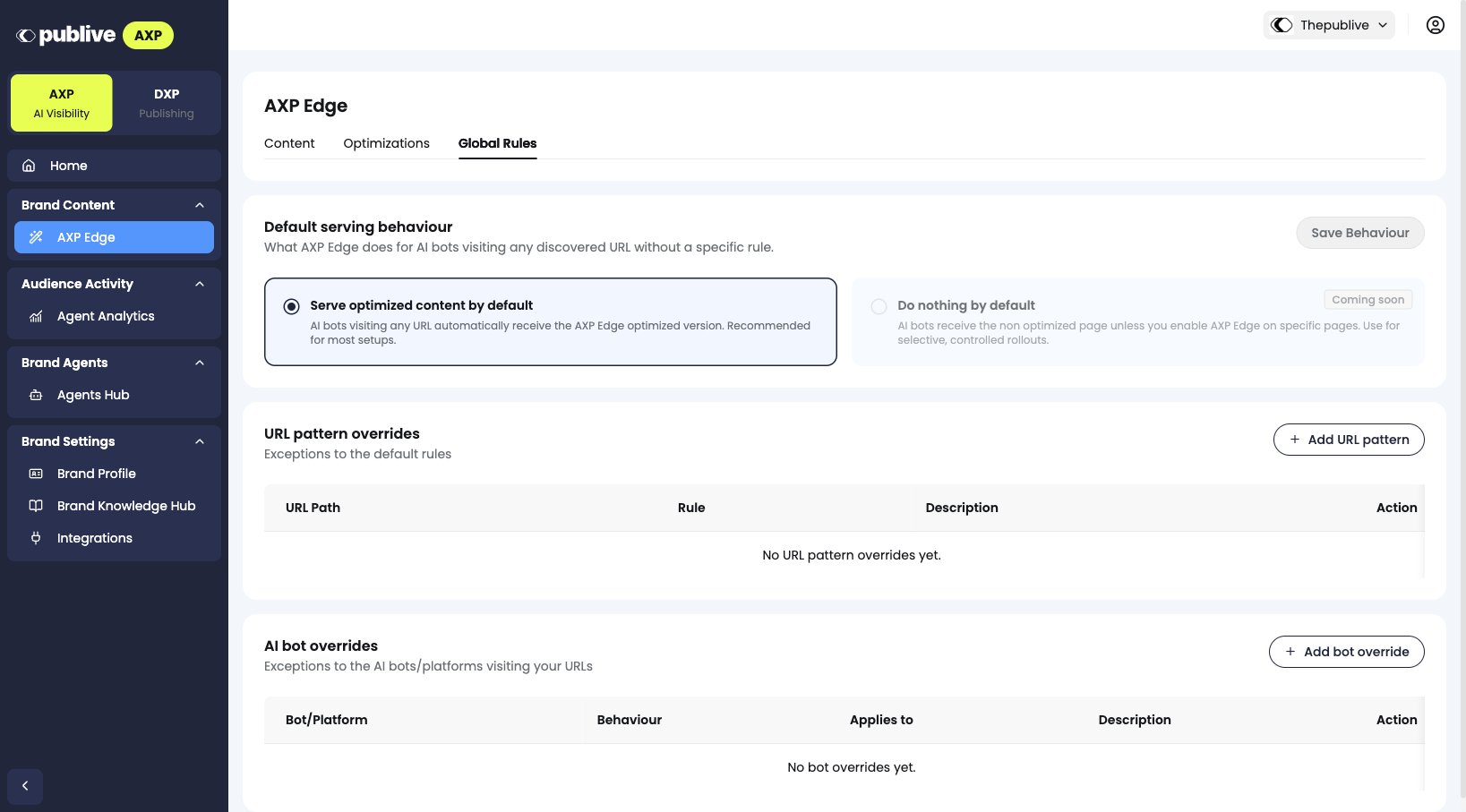
Edge analytics
Agentic traffic hitting your AXP Edge-optimized URLs, broken out by AI platform (for example GPTBot, PerplexityBot, and other agent user-agents). Use this to see AI agent traffic rise from your pre-AXP baseline over time.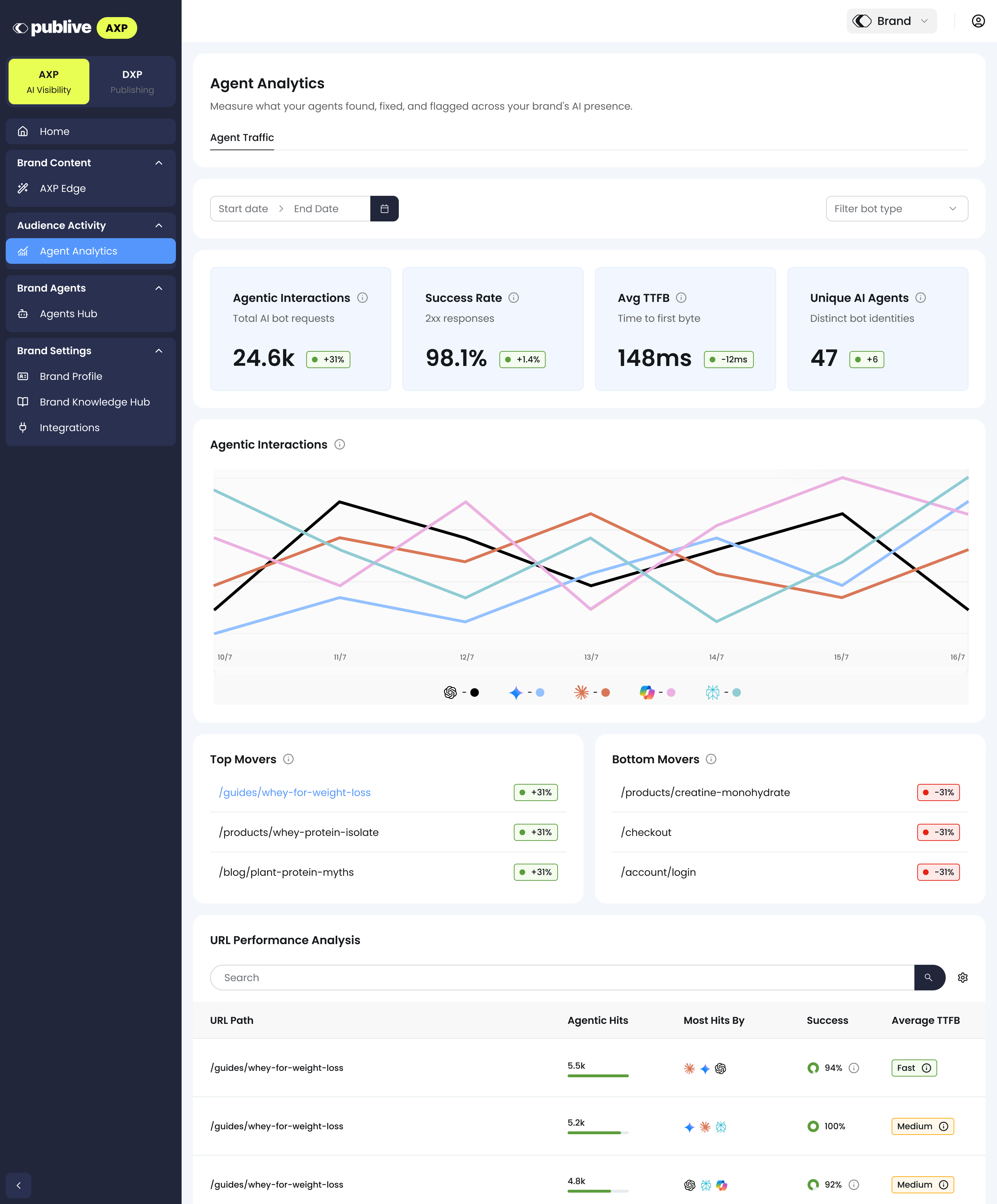
Next steps
AXP Edge FAQ
Common questions about setup, SEO impact, and failure behavior.