> ## Documentation Index
> Fetch the complete documentation index at: https://docs.thepublive.com/llms.txt
> Use this file to discover all available pages before exploring further.
# Why MFA Is Now Enforced on Every Publive Dashboard
> A short explainer on why every dashboard login now requires a one-time code — and what it means for your team.
If you've logged into your Publive dashboard recently, you've likely seen a new banner at the top of the screen. It's there to tell you that **Multi-Factor Authentication (MFA)** is now enforced for every user, on every publisher account — there's nothing for you to turn on, it's already active.
Here's why we made this change, and what it means for your day-to-day.
## What is MFA?
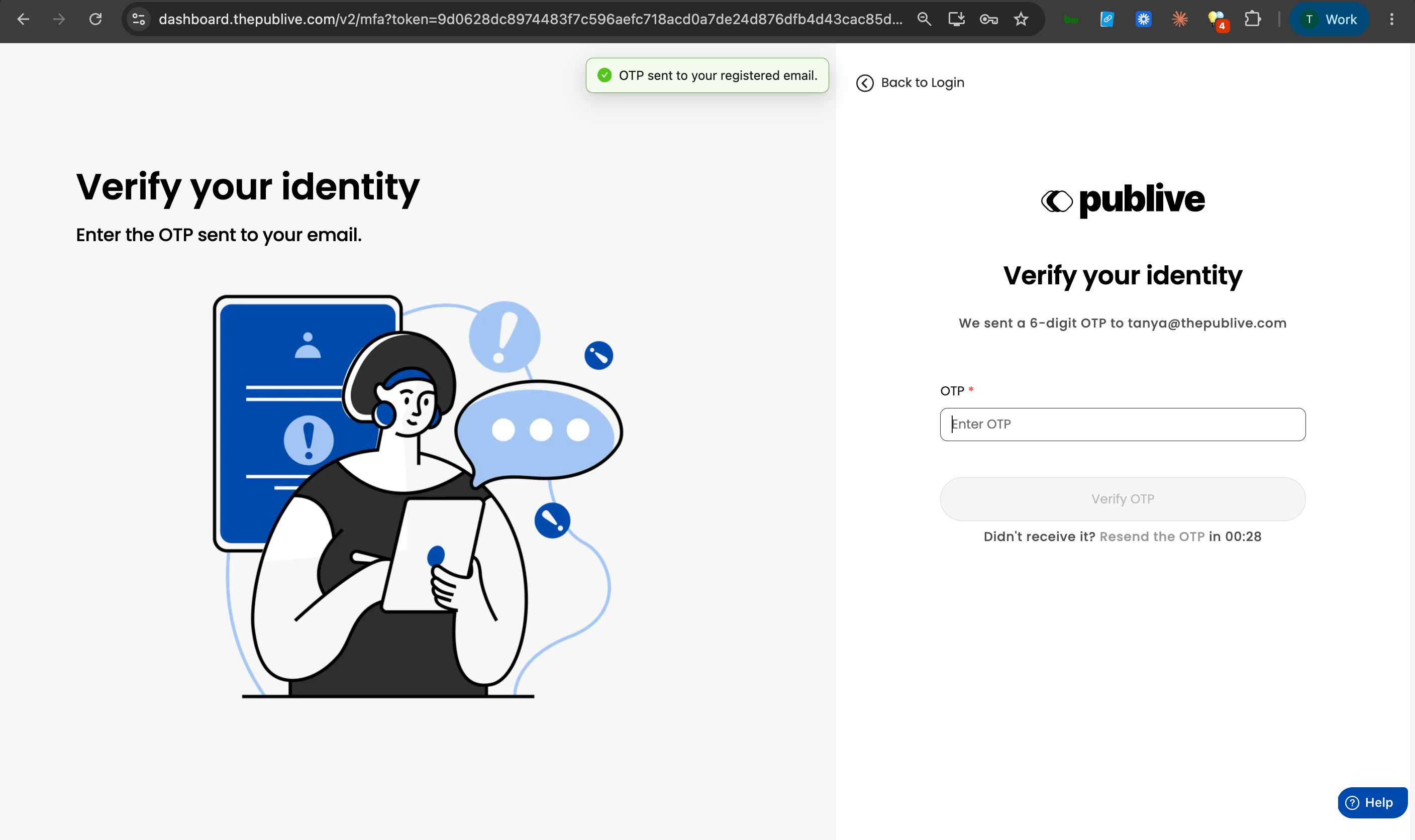
MFA adds one extra step at login: after your password, you'll enter a 6-digit code sent to your registered email before you can access the dashboard.
 For the full mechanics — code expiry, lockout rules, and how per-user settings work — see the [Multi-Factor Authentication guide](/dxp/documentation/getting-started/mfa).
## Why we're enforcing this for every publisher
Your dashboard isn't just a login screen — it's the control room for your entire publication: articles going live under your name, ad and revenue settings, subscriber data, your team's access. A single compromised password puts all of it at risk.
| The risk with password-only login | What MFA changes |
| ---------------------------------------------------------------------------------------------------------------------- | -------------------------------------------------------------------- |
| Reused or leaked passwords are the single most common cause of account takeovers | A stolen password alone is no longer enough to get in |
| Phishing attempts targeting newsroom and publisher staff are increasingly common | An attacker would also need access to your email to complete login |
| A compromised account can mean unauthorized content, altered ad configs, or exposed reader data — all under your brand | Adds a second, time-limited checkpoint before any of that can happen |
This is also simply where the industry has moved. Most tools your team already uses daily — email, cloud storage, online banking — require this same extra step. We're bringing every Publive dashboard in line with that standard, for every publisher on the platform, not just the ones who choose to opt in.
## What this means for your team
* **Nothing to set up.** MFA is already active for every user — there's no toggle to find.
* **One extra step at login.** Enter the code from your email after your password. It takes a few seconds.
* **A one-time sign-out.** When enforcement went live, all active sessions were signed out as a security measure. You'll simply need to log in again, this time completing the one-time code step.
If your team manages more than one Publive property under the same login, this applies across all of them — MFA is tied to your account, not a single publisher.
## Can't access your registered email, or running into issues?
[Raise a support ticket](mailto:support@thepublive.com) and our team will help you regain access.
For the full mechanics — code expiry, lockout rules, and how per-user settings work — see the [Multi-Factor Authentication guide](/dxp/documentation/getting-started/mfa).
## Why we're enforcing this for every publisher
Your dashboard isn't just a login screen — it's the control room for your entire publication: articles going live under your name, ad and revenue settings, subscriber data, your team's access. A single compromised password puts all of it at risk.
| The risk with password-only login | What MFA changes |
| ---------------------------------------------------------------------------------------------------------------------- | -------------------------------------------------------------------- |
| Reused or leaked passwords are the single most common cause of account takeovers | A stolen password alone is no longer enough to get in |
| Phishing attempts targeting newsroom and publisher staff are increasingly common | An attacker would also need access to your email to complete login |
| A compromised account can mean unauthorized content, altered ad configs, or exposed reader data — all under your brand | Adds a second, time-limited checkpoint before any of that can happen |
This is also simply where the industry has moved. Most tools your team already uses daily — email, cloud storage, online banking — require this same extra step. We're bringing every Publive dashboard in line with that standard, for every publisher on the platform, not just the ones who choose to opt in.
## What this means for your team
* **Nothing to set up.** MFA is already active for every user — there's no toggle to find.
* **One extra step at login.** Enter the code from your email after your password. It takes a few seconds.
* **A one-time sign-out.** When enforcement went live, all active sessions were signed out as a security measure. You'll simply need to log in again, this time completing the one-time code step.
If your team manages more than one Publive property under the same login, this applies across all of them — MFA is tied to your account, not a single publisher.
## Can't access your registered email, or running into issues?
[Raise a support ticket](mailto:support@thepublive.com) and our team will help you regain access.