> ## Documentation Index
> Fetch the complete documentation index at: https://docs.thepublive.com/llms.txt
> Use this file to discover all available pages before exploring further.
# Getting started
> Connect AXP Edge to your CDN and go live.
## Prerequisites
* Admin access to your domain's DNS / nameserver records.
* Access to your CDN or edge network configuration.
* A Publive AXP account with AXP Edge enabled for your domain. [Get AXP Edge](https://axp.thepublive.com/contact).
## Supported CDNs and platforms
AXP Edge integrates at the CDN layer, so it works with any site already served through one. All major CDNs and edge networks are supported:
| CDN / platform | Integration guide |
| ------------------------- | ------------------------------------------------------------- |
| Cloudflare | [Deploy on Cloudflare](/axp/axp-edge/integrations/cloudflare) |
| Vercel | [Deploy on Vercel](/axp/axp-edge/integrations/vercel) |
| Amazon CloudFront | [Deploy on CloudFront](/axp/axp-edge/integrations/cloudfront) |
| Fastly | [Deploy on Fastly](/axp/axp-edge/integrations/fastly) |
| Akamai | [Deploy on Akamai](/axp/axp-edge/integrations/akamai) |
| F5 Distributed Cloud (XC) | [Deploy on F5 XC](/axp/axp-edge/integrations/f5-xc) |
If your site sits behind a different CDN or edge network, AXP Edge can almost certainly still integrate. [Get AXP Edge integrated here](https://axp.thepublive.com/contact).
### Don't have a CDN yet?
[Don't have a CDN?](/axp/axp-edge/integrations/dont-have-a-cdn) We recommend Cloudflare and can help you get set up.
Rollback is one click: disabling AXP Edge immediately returns all traffic (including AI agent traffic) to your normal origin.
## Go live in three steps
A high-level path from zero to live. Each step links to the detail below. Most teams are live in under two hours.
Publive provides **AXP Edge enabled for your domain**, your **Edge CDS API key**, and your **backend URL** ([Contact us](mailto:support@thepublive.com), if you don't have these). You provide admin access to your CDN. Make sure `PubliveBot/1.0` and LLM user-agents (GPTBot, ClaudeBot, Google-Extended, and similar) are unblocked across your CDN, `robots.txt`, and WAF.
Pick the [integration guide](#integration-guides) for your CDN, add the Worker/Middleware, set the environment variables (store the API key as an encrypted secret), and attach the route. No CDN yet? [Start here](/axp/axp-edge/integrations/dont-have-a-cdn).
Confirm bot traffic is served by CDS and human traffic is unchanged, then use the [AXP Edge dashboard](/axp/axp-edge/dashboard) to set rules and watch agent traffic grow. Rollback is one click: disabling AXP Edge returns all traffic to your origin.
## How AXP Edge decides who gets the agent view
AXP Edge detects AI crawlers and agents using user-agent and network signals. Humans, and any traditional search bots you want preserved, are passed through to your normal site untouched.
## Bypass rules
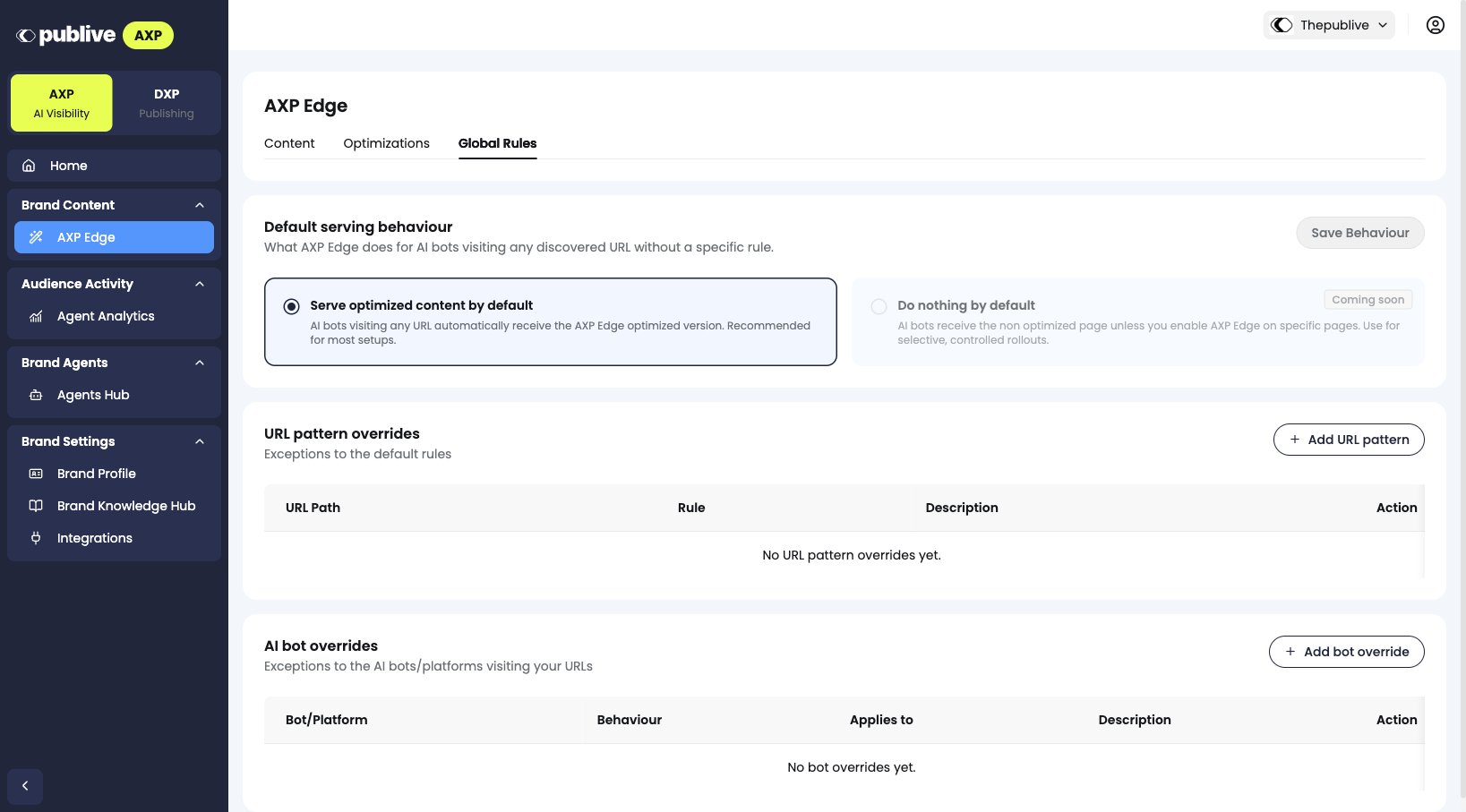
You can exclude specific pages or sections of your site from AXP Edge optimization, so AI bots hit your unoptimized origin pages for those paths instead. This is useful for comparing optimized vs. unoptimized performance on your own domain, or for excluding pages that shouldn't be exposed to AI agents at all. Configure bypass rules from the **Content & Global Rules** section of your AXP dashboard. See [AXP Edge dashboard](/axp/axp-edge/dashboard).
 ## Integration guides
Setting up AXP Edge yourself instead of pointing DNS at it? Use the guide for your CDN:
Worker-based routing on Cloudflare, with automatic origin failover.
Next.js Middleware-based routing for apps hosted on Vercel.
Lambda\@Edge routing for an Amazon CloudFront distribution.
Compute\@Edge routing for a Fastly service.
Property Manager rules for routing on Akamai.
Service Policy and Load Balancer routing on F5 Distributed Cloud.
Get a CDN in front of your domain, then connect AXP Edge.
## Next steps
Monitor agent traffic and manage optimization rules.
Need help getting AXP Edge set up? Reach out to support.
We can also provide live assistance for setup: [contact us](https://axp.thepublive.com/contact).
## Integration guides
Setting up AXP Edge yourself instead of pointing DNS at it? Use the guide for your CDN:
Worker-based routing on Cloudflare, with automatic origin failover.
Next.js Middleware-based routing for apps hosted on Vercel.
Lambda\@Edge routing for an Amazon CloudFront distribution.
Compute\@Edge routing for a Fastly service.
Property Manager rules for routing on Akamai.
Service Policy and Load Balancer routing on F5 Distributed Cloud.
Get a CDN in front of your domain, then connect AXP Edge.
## Next steps
Monitor agent traffic and manage optimization rules.
Need help getting AXP Edge set up? Reach out to support.
We can also provide live assistance for setup: [contact us](https://axp.thepublive.com/contact).